# Creating and editing workflows
https://mobilebuilds.app/guides/creating-and-editing-workflows/
Last updated: 2026-08-16
Workflows aren't read-only in Mobile Builds. You can create one, change its
triggers and actions, and delete it, all from the app.
## Create a workflow
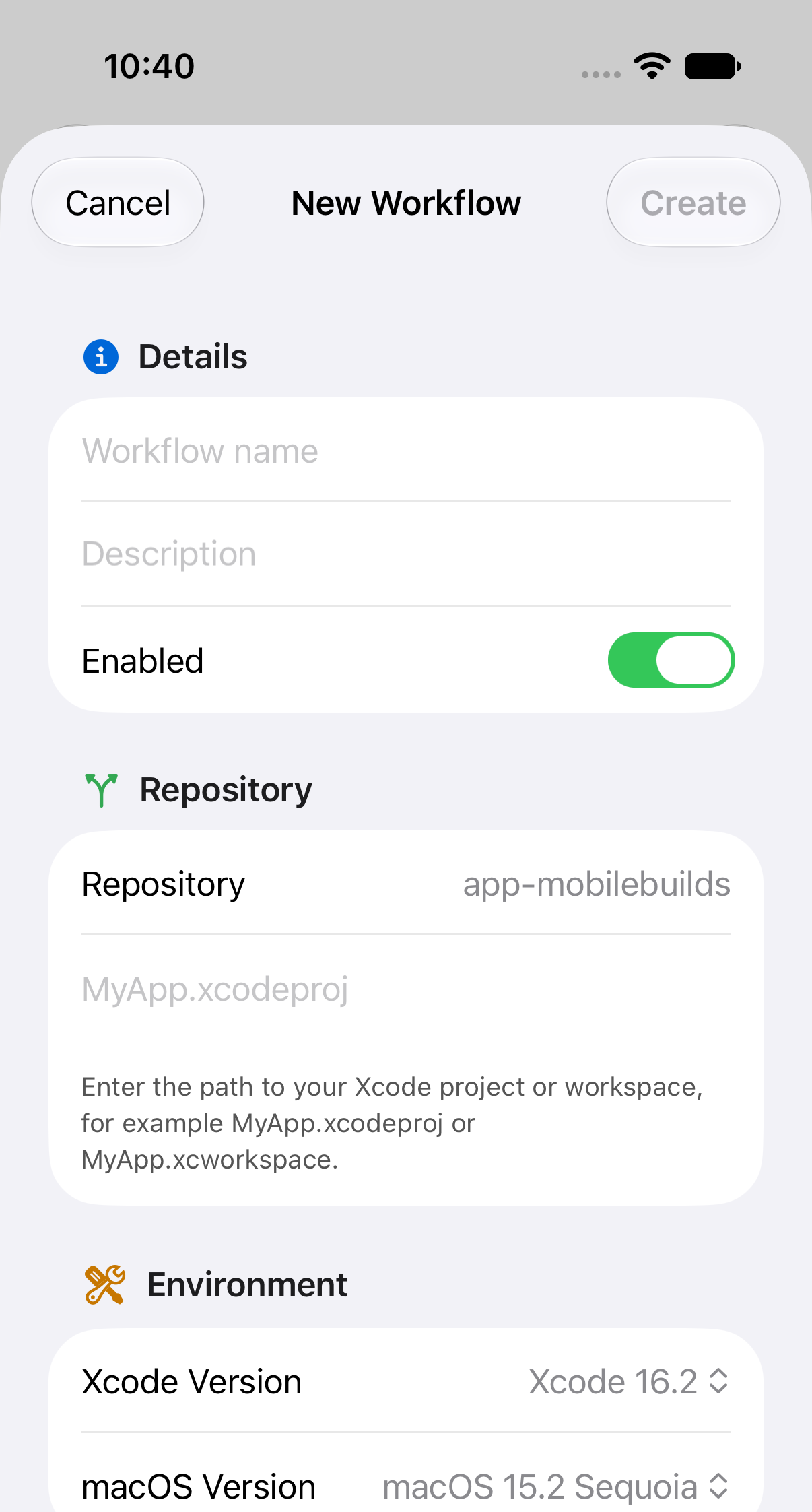
Open an app and tap **+** beside Workflows.
Work down the sheet:
- **Details** — name, description, and whether it starts out enabled.
- **Repository** — the connected repository, plus the path to your project or
workspace, like `MyApp.xcodeproj`. Set only when creating.
- **Environment** — Xcode and macOS versions.
- **Triggers** — what starts a build. Branch and tag patterns are
comma-separated; leave a field empty to match anything.
- **Actions** — what a build does. Each action has a type, scheme, platform and
destination, and can be marked as required to pass.
**Create** stays dimmed until the sheet has what it needs. Once it saves, the
new workflow appears in the app's Workflows list.
If the repository picker is empty, connect a repository to the app in App Store
Connect first — Xcode Cloud won't create a workflow without one.
## Edit a workflow
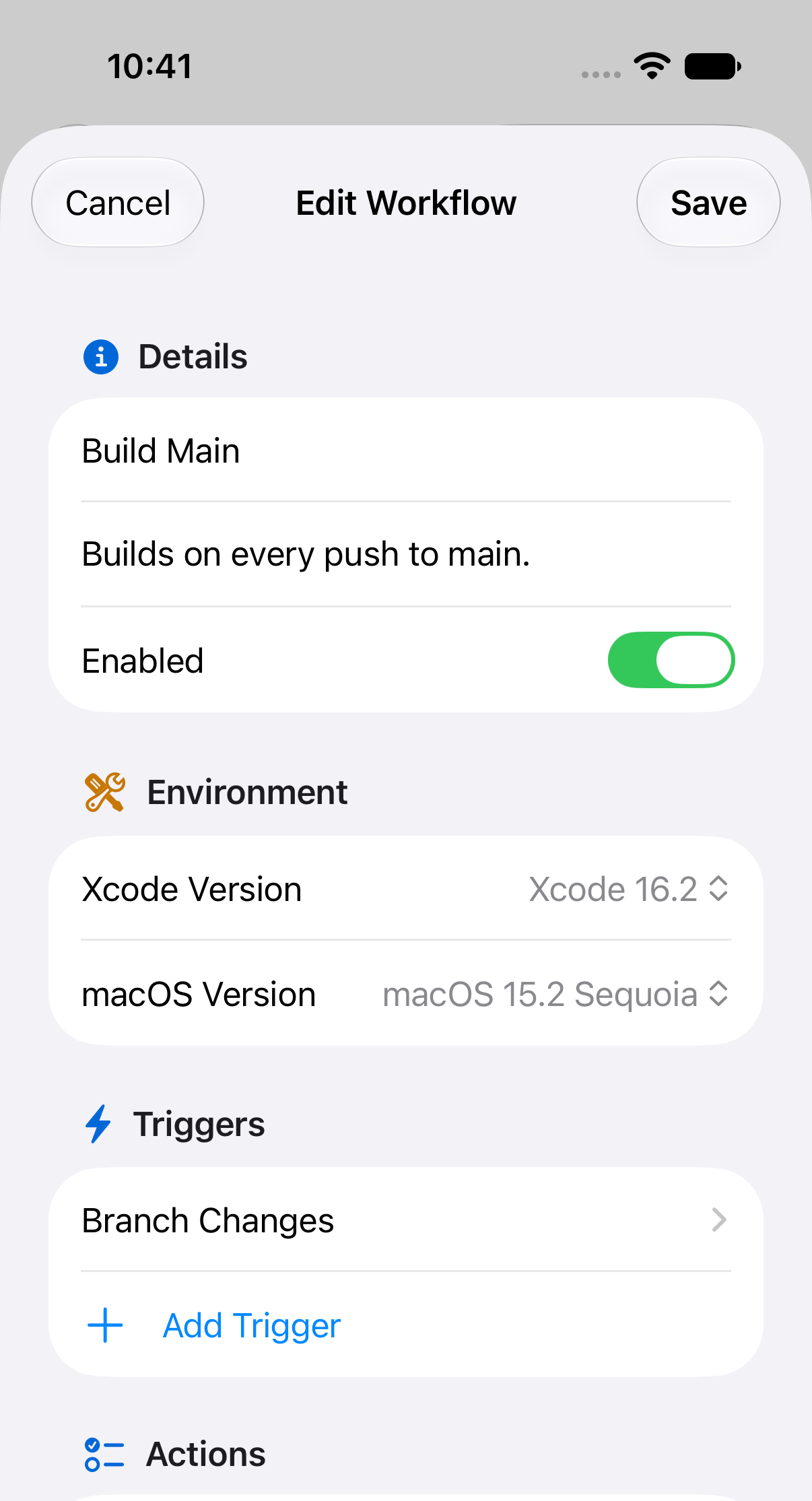
Open the workflow and tap **Edit**. The same sheet appears with its current
settings, minus the repository fields.
Turning **Enabled** off is a good way to pause a noisy workflow without losing
its configuration.
## Delete a workflow
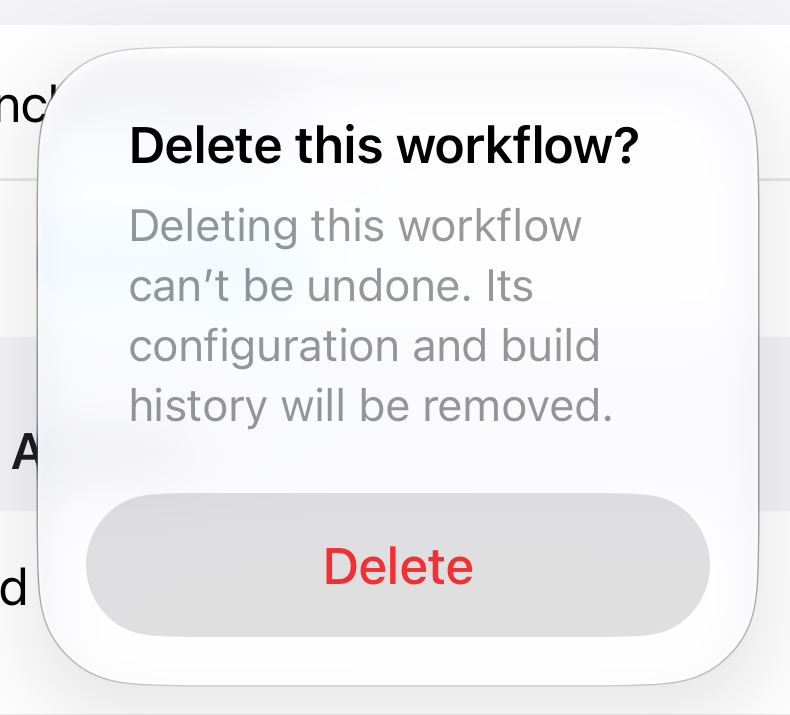
**Delete Workflow** is at the bottom of the edit sheet, and asks first.
This can't be undone — the configuration and the build history both go.
## Related
- [Browsing your apps and workflows](/guides/browsing-your-apps-and-workflows/)
- [Starting a build from your phone](/guides/starting-a-build-from-your-phone/)
---
Mobile Builds — https://mobilebuilds.app/
Site index for language models: https://mobilebuilds.app/llms.txt