# Finding a failing test
https://mobilebuilds.app/guides/finding-a-failing-test/
Last updated: 2026-08-16
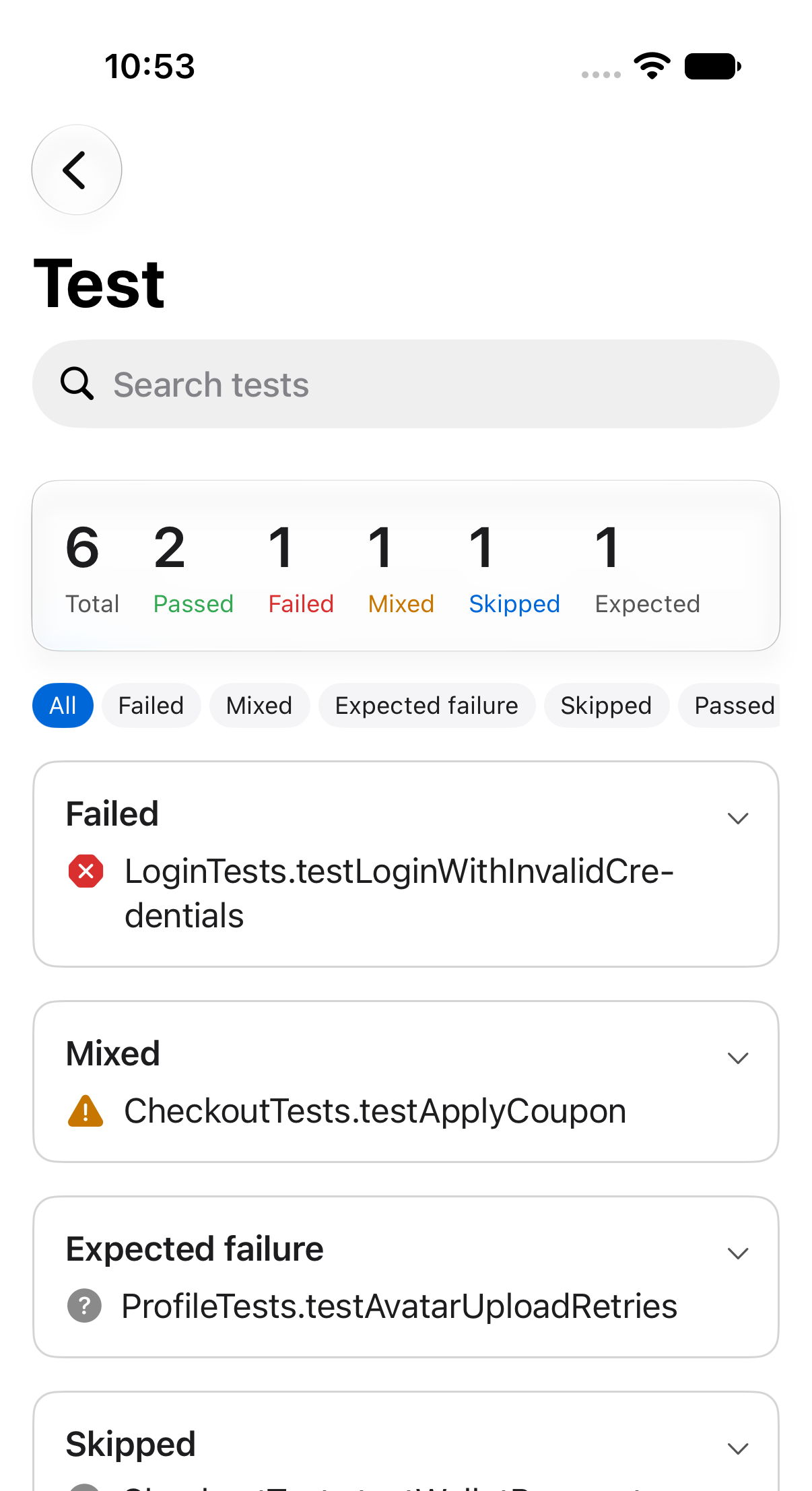
Open a build run, then tap its test action. A search field sits at the top, the
summary counts every result, and the list below shows them grouped.
## Filter by status
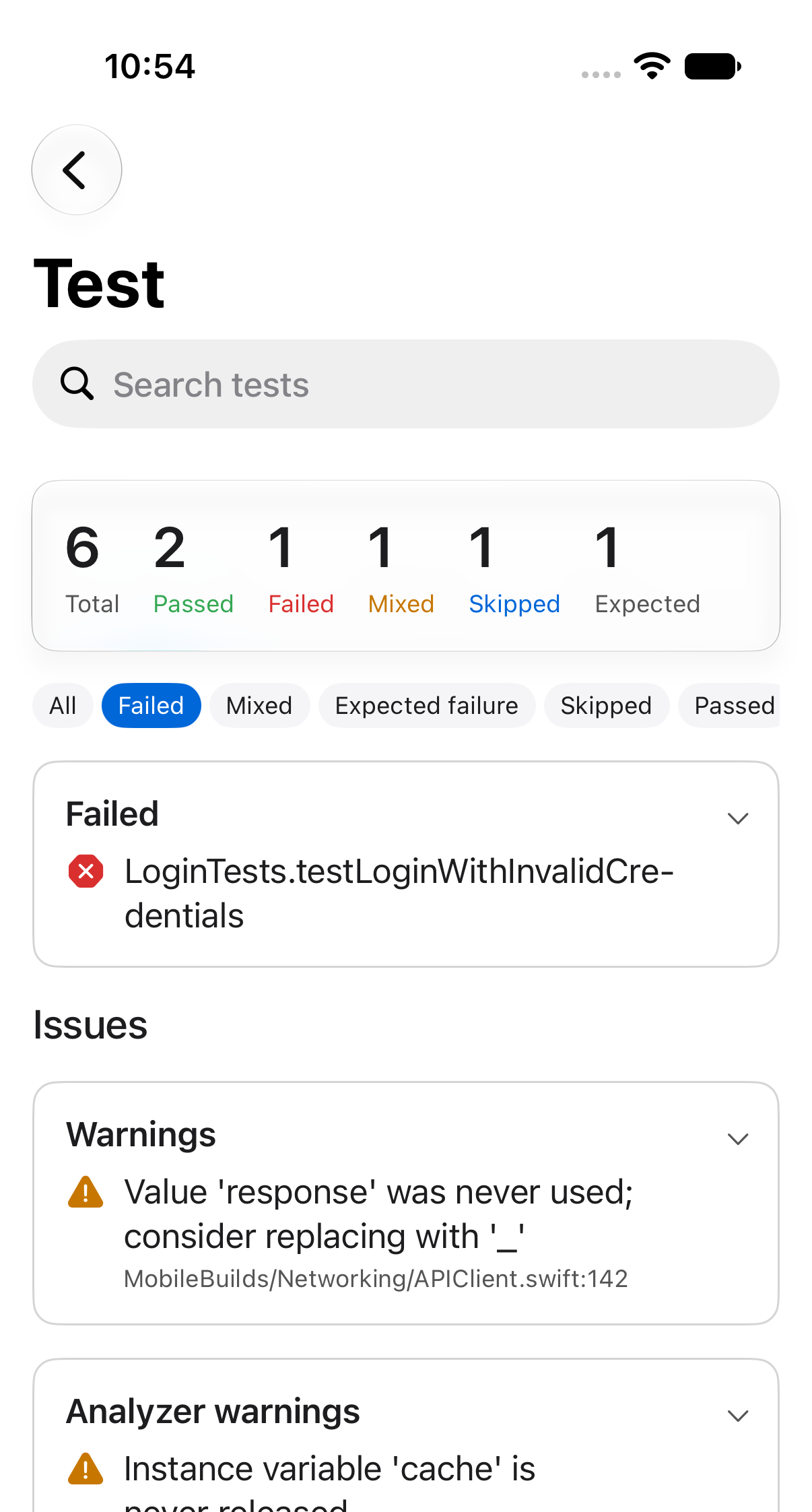
The chips under the summary narrow the list: All, Failed, Mixed, Expected
failure, Skipped, Passed.
## Search by name
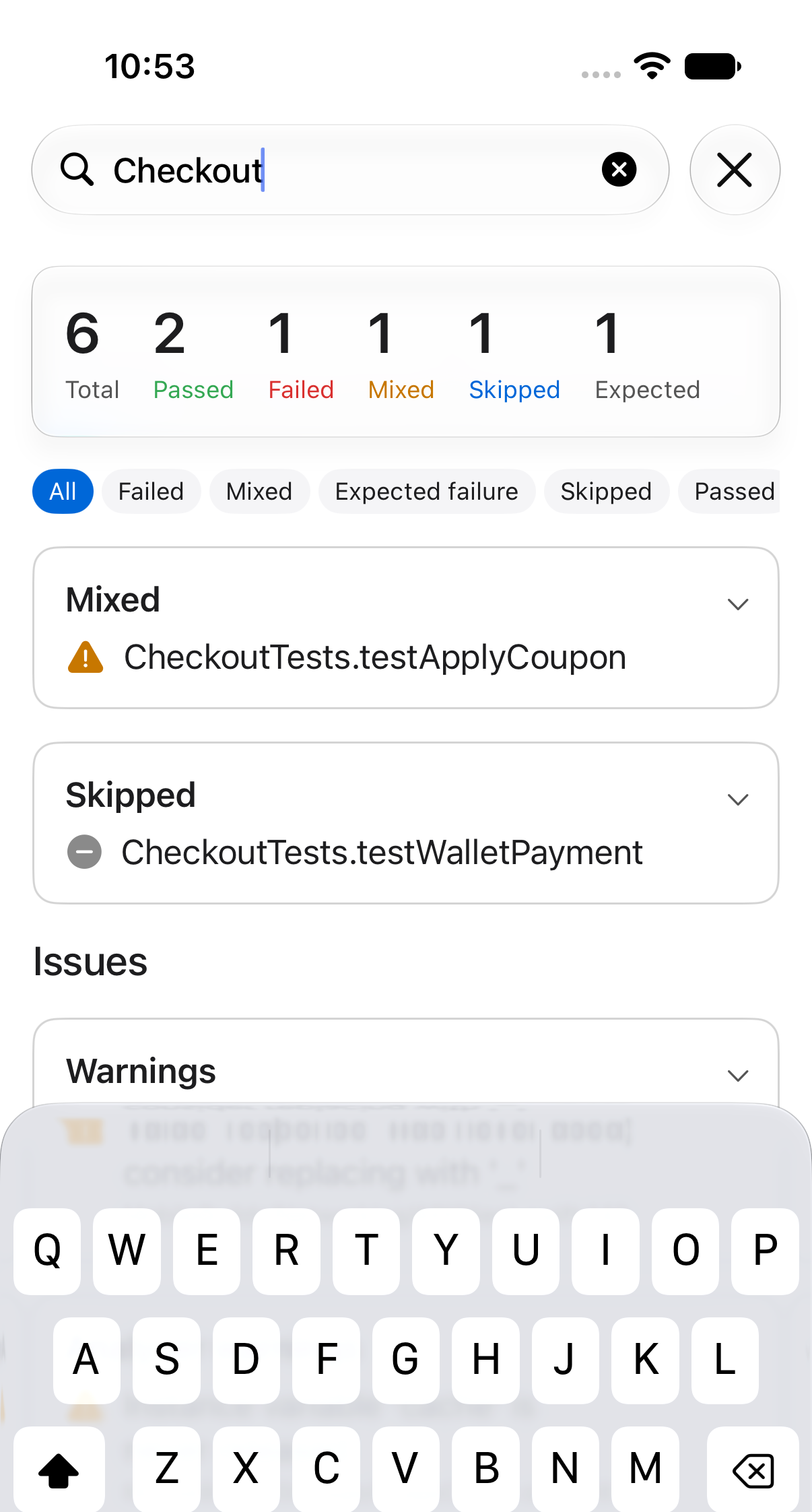
Type into the search field to match test and suite names.
Filters and search stack. If a combination matches nothing you'll get an empty
card with a **Clear filters** button.
## Errors and warnings
Below the results, the **Issues** section groups everything the action reported such as errors, warnings, analyzer warnings and test failures. All so you can read a compiler error without leaving the run.
## Related
- [Reading a build run](/guides/reading-a-build-run/)
- [Downloading build artifacts and logs](/guides/downloading-build-artifacts-and-logs/)
---
Mobile Builds — https://mobilebuilds.app/
Site index for language models: https://mobilebuilds.app/llms.txt