# Reading a build run
https://mobilebuilds.app/guides/reading-a-build-run/
Last updated: 2026-08-16
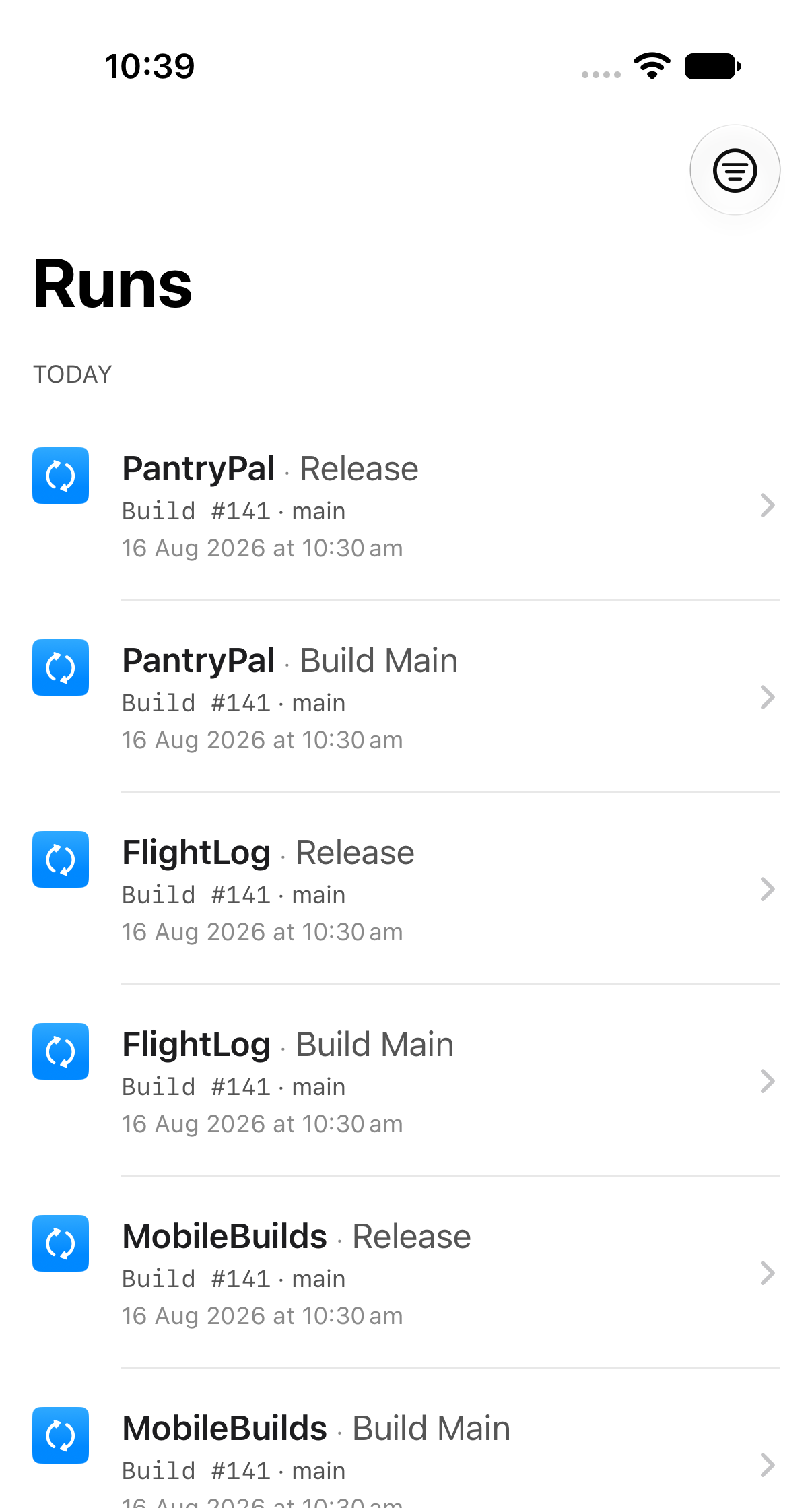
The **Runs** tab pulls together build runs from every workflow on every app, in
one list grouped by day.
## Look further back
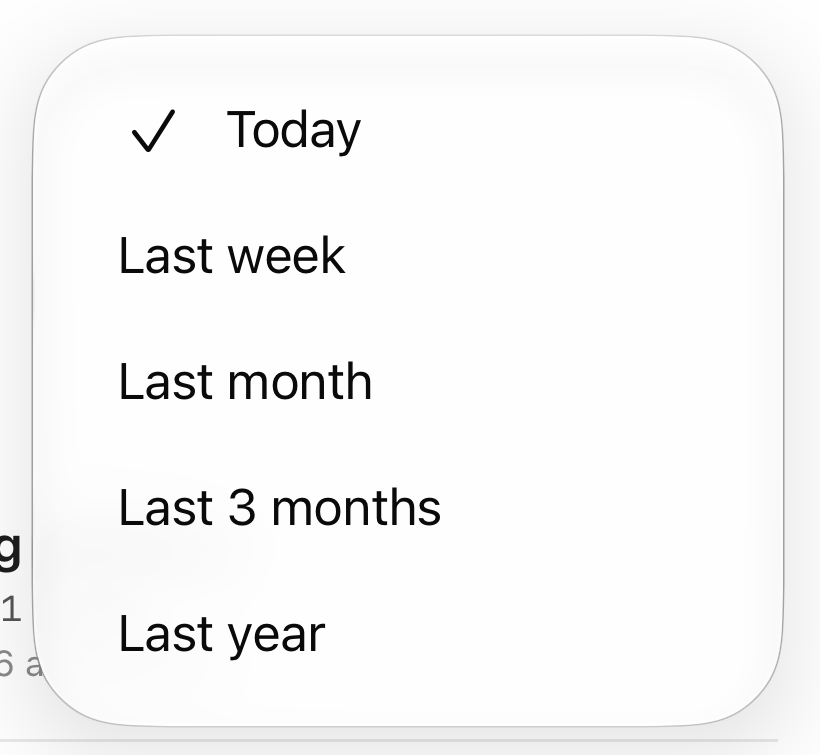
Tap the range button in the toolbar. Your choice is remembered.
Today is always available. The longer ranges need [Mobile Builds+](/pricing/).
## Open a run
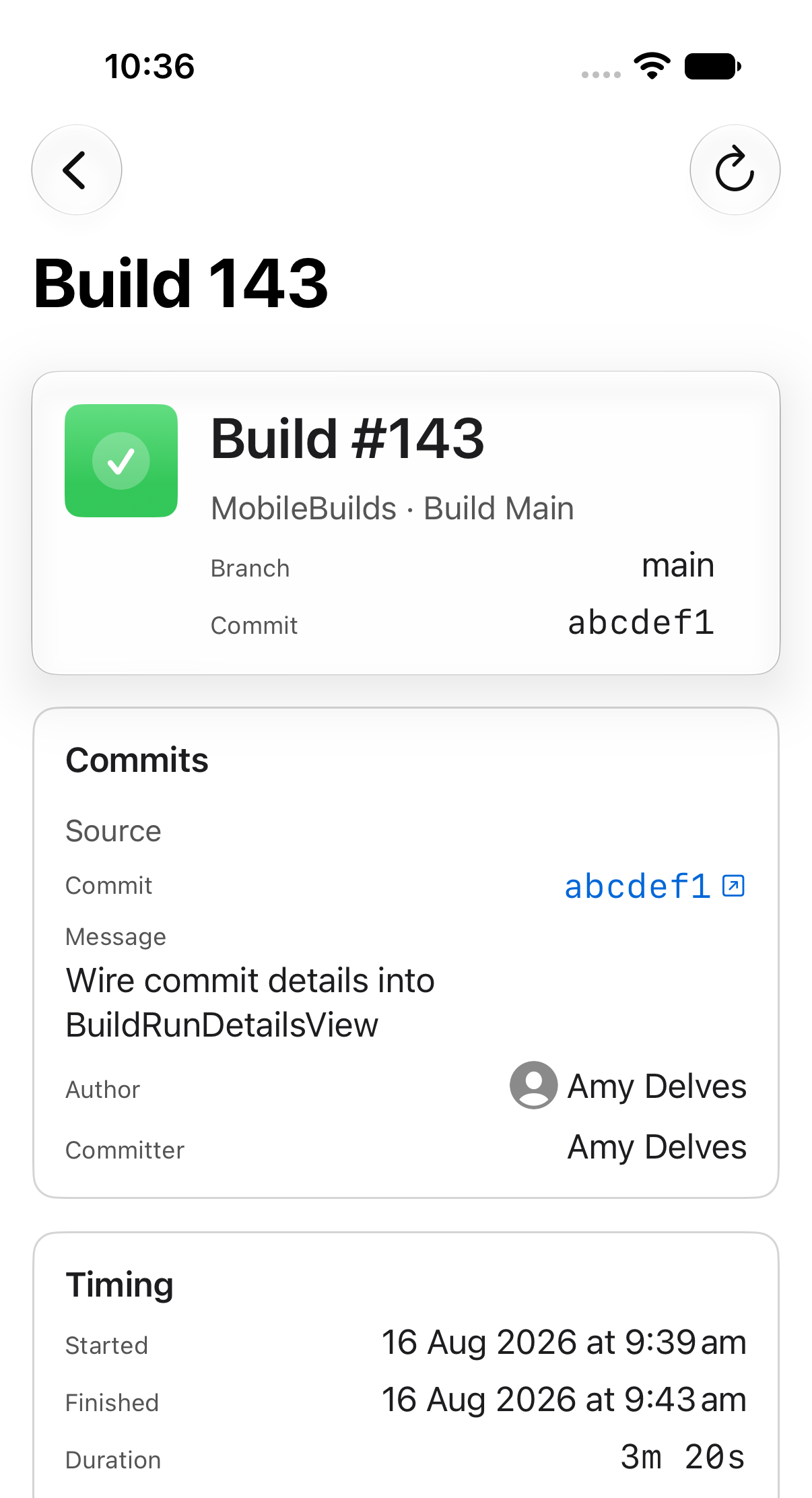
A run's details are split into four cards:
- **Header** — build number, branch and commit.
- **Commits** — the source commit's message, author and committer, plus a
destination commit on pull request builds.
- **Timing** — when it started and finished, how long it took, and why it ran:
manual, a git reference change, a pull request, or a schedule.
- **Actions** — one row per action, with its duration and any errors, warnings,
analyzer warnings or test failures.
Tap an action row to see its test results, issues and artifacts.
## Related
- [Finding a failing test](/guides/finding-a-failing-test/)
- [Downloading build artifacts and logs](/guides/downloading-build-artifacts-and-logs/)
- [Re-running a failed build](/guides/re-running-a-failed-build/)
---
Mobile Builds — https://mobilebuilds.app/
Site index for language models: https://mobilebuilds.app/llms.txt