
Installing the MCP server helper
Last updated
The MCP server is what actually answers when a coding assistant asks about your builds. It ships as a small helper you download from inside Mobile Builds and install once — after that it starts on its own and you can forget it's there.
What it is
Mobile Builds is sandboxed, and a sandboxed app can't open a port for other
tools to talk to. So the server lives in its own app, MobileBuildsMCPServer,
running alongside Mobile Builds rather than inside it. It sits in the menu bar
with no Dock icon and no window of its own.
The two check each other's code signatures before they exchange anything, so a mismatched or unsigned process gets nothing back. The helper holds no App Store Connect credentials — it reads through Mobile Builds, which has to be running and unlocked.
Download it
Open Settings and scroll to MCP Server. Until the helper is installed the row reads Not running, with a download button under it showing the version and size.
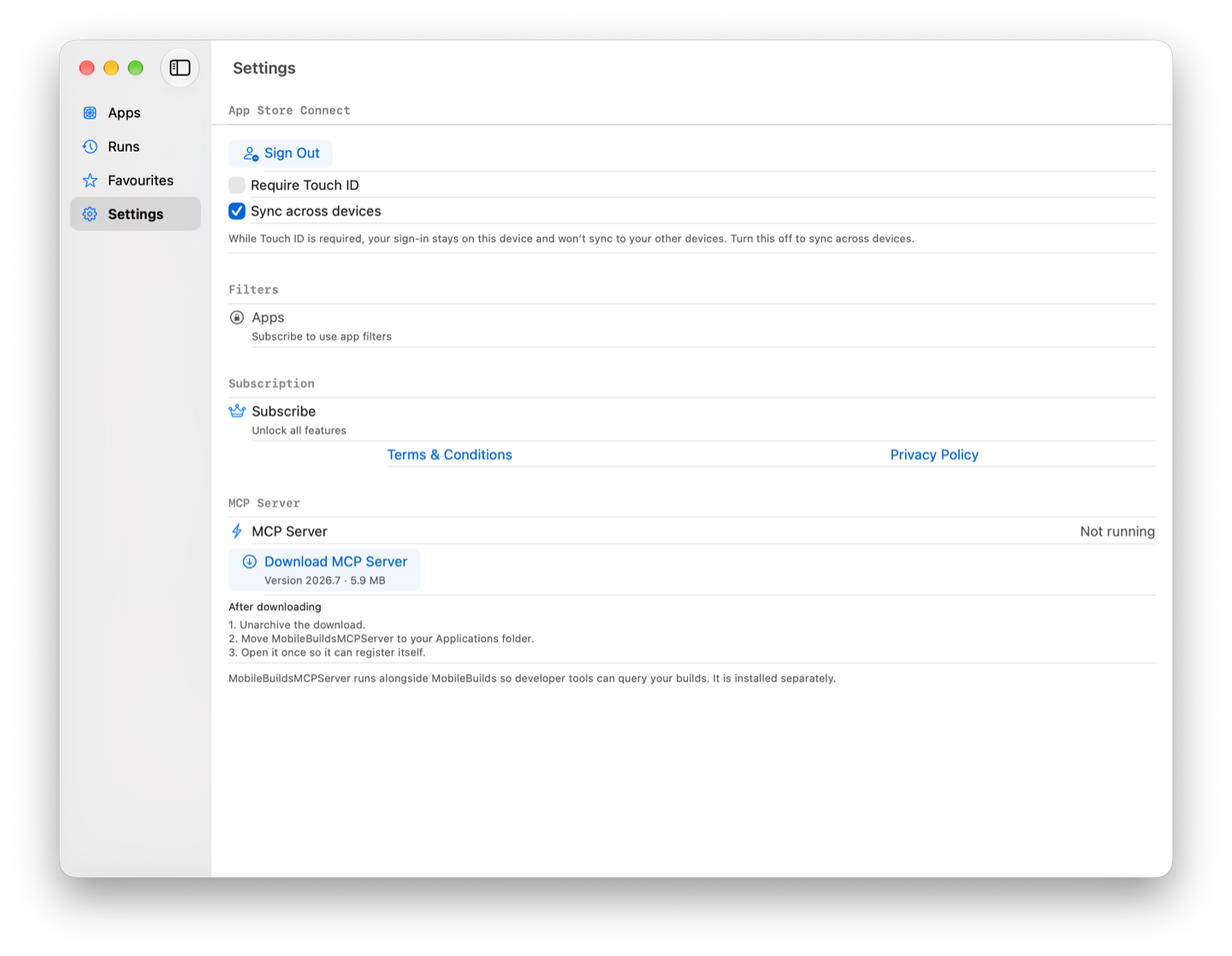
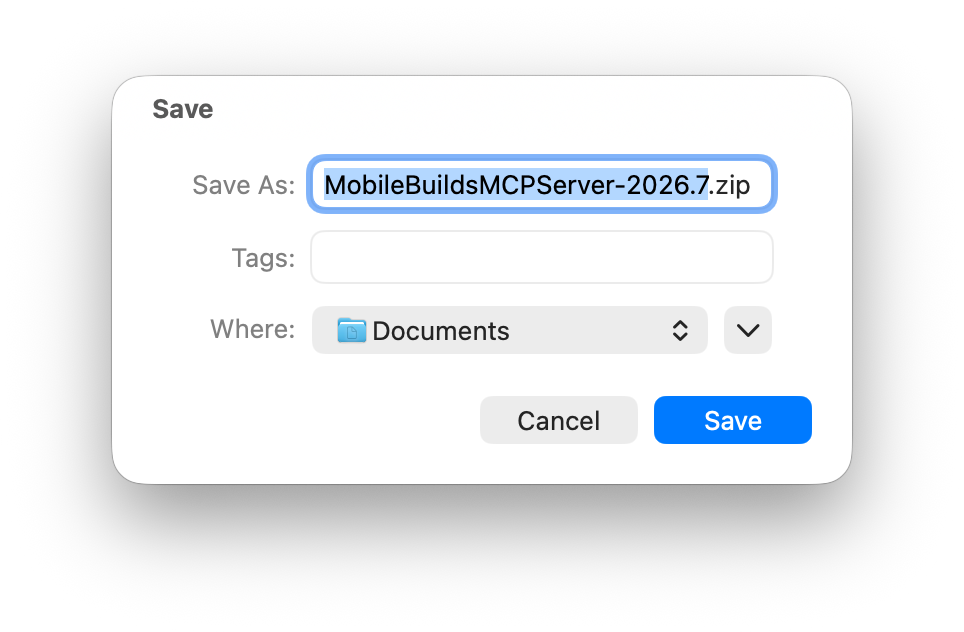
Choose Download MCP Server and pick somewhere to save the archive.
Install it
Three steps, the same three the Settings pane lists:
- Unarchive the download.
- Move MobileBuildsMCPServer to your Applications folder.
- Open it once so it can register itself.
The move matters — the helper registers itself from wherever it sits, so launching it out of Downloads and tidying up later leaves Mobile Builds pointing at nothing. Opening it that first time is what makes it start on its own afterwards; from then on you don't launch it by hand.
Check it's running
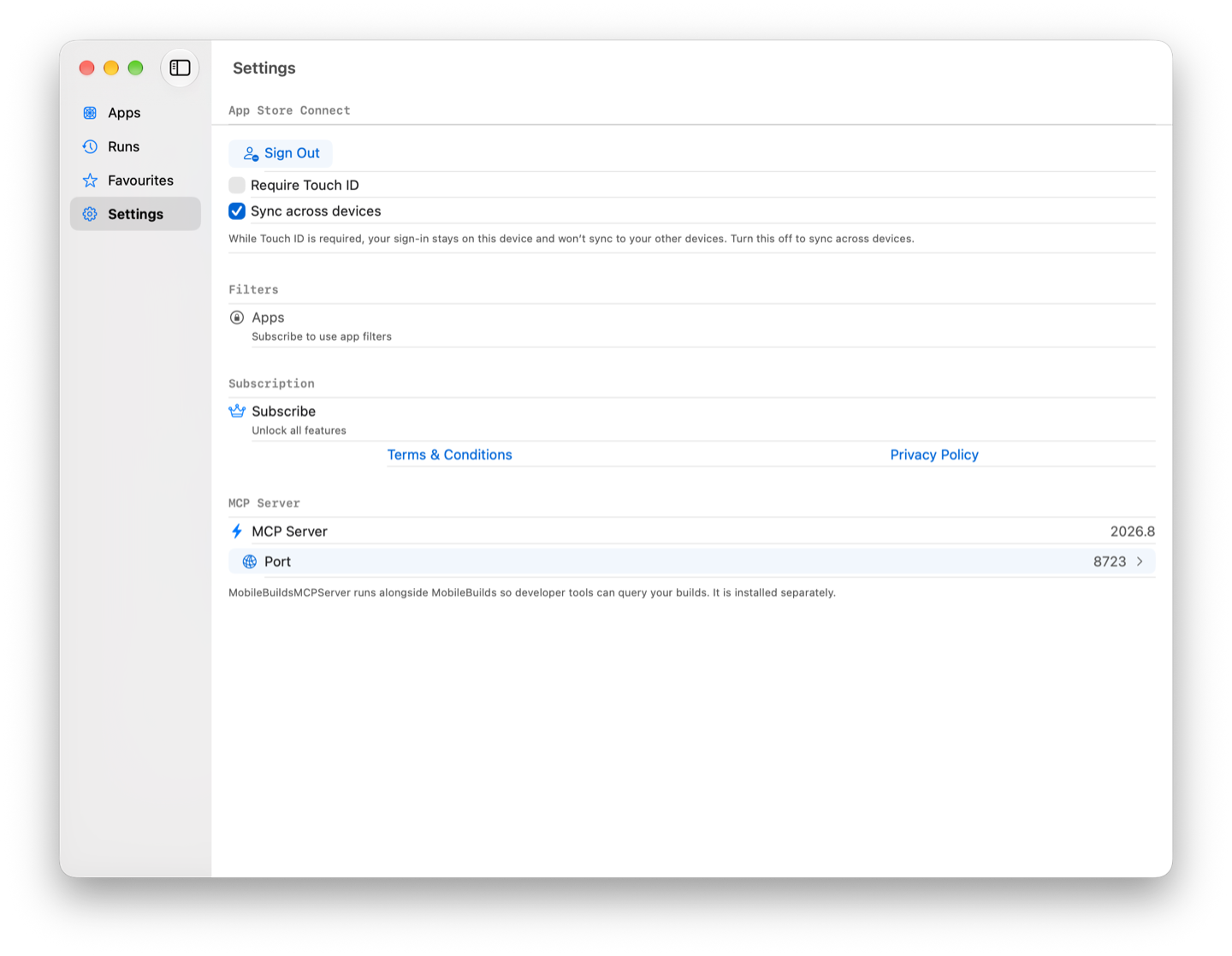
Go back to Settings → MCP Server. Not running is replaced by a version number, and a Port row appears underneath.
For the other end of the chain — whether an assistant can reach it — ask "is Mobile Builds connected?" in Xcode or Claude Code. That check is described in Using Mobile Builds from Xcode.
If you need a different port
The server binds 8723 by default. If something else on your Mac has already
taken it, choose Port, type another number, and the endpoint line under the
field updates to match. Choose Save.
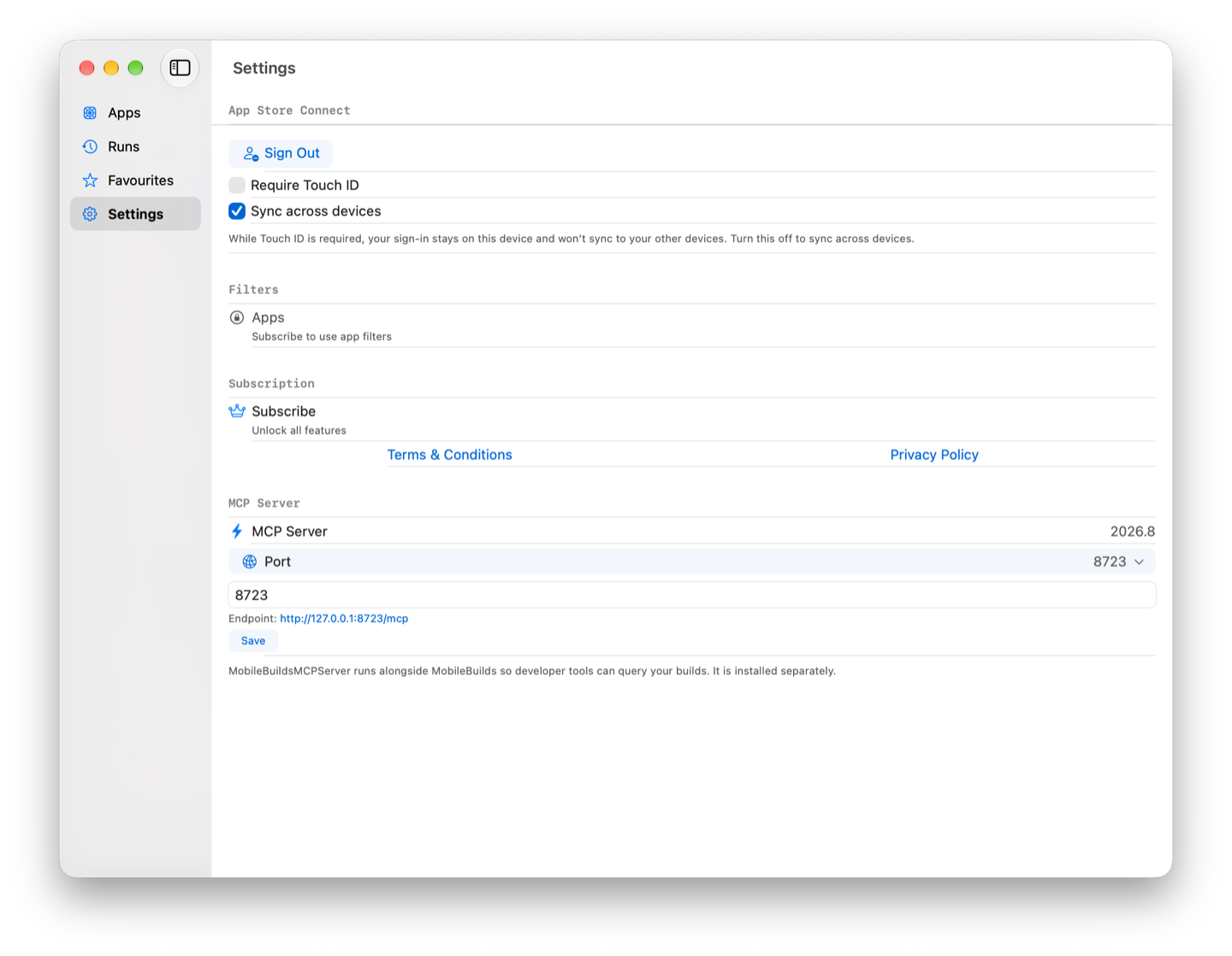
Changing it here doesn't reach your editor — Xcode keeps its own copy of the configuration, under Settings → Intelligence → MCP servers, and you'll need to point that at the new endpoint too.